I posted this at Facebook (remember when Facebook had a character limit for status updates? That so didn't work for me). And then thought I might as well post it here as well.
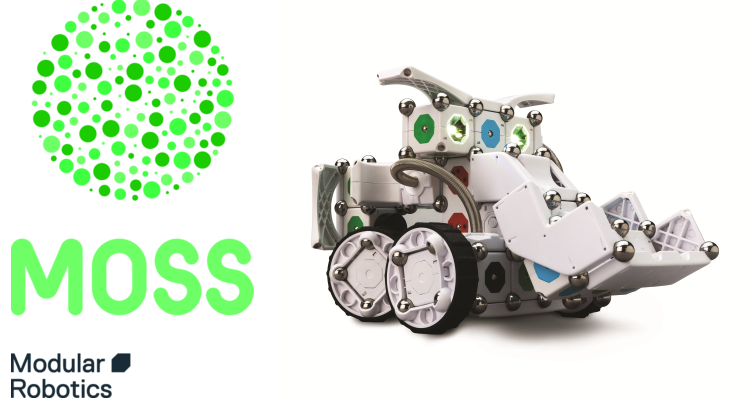
I wrote a long review of MOSS Robotics back in July.
Here's the Wall Street Journal Article, Tech Toys to Make Children Smarter, which is a terrible title.
And here are my comments on it:
The Wall Street Journal reviews Kano, MOSS Robotics, and Little Bits. Because of the kind of person I am, we have all three of these things.
I'd add, or emphasize, that Kano is beautifully designed, and putting it together and following the on-screen animations to set it up is amazing. Once it's together, though, it's got a processor that is slower than anything the children of the 21st century have ever encountered before, leading to multiple instances of us sitting around wondering if it's crashed while waiting for it to load a webpage or finish a process. The Tiny Tornado loved the idea of having his own computer, but switches to a device with a faster processor whenever he has the chance, and now hasn't fired up his Kano for awhile. I suspect the market for Kano is families like ours, that have access to other computers and buy this low-cost computer kit to enhance their kids' experience, which makes me think TT's story isn't unique. If you had a kid very committed to programming already, Kano might work great for them. But there are a lot of programming resources that are awesome, cheaper or free, and run on a tablet or the computer you've already got.
The kids in the review had the same problem we had with MOSS Robotics: the instructions are very difficult to follow, and the robots fall apart. All the time. Over and over and over again.
Finally, when they tried Little Bits, they got to a problem I think is pretty well ubiquitous with these kinds of toys and gadgets: to really unlock the power, users need to start thinking independently, trying their own ideas, using them not as a kit with instructions to be followed but as a tool for making their own creations. But not everybody's minds work like that, and a lot of kids need plenty of guidance to make the change. As much as these things market themselves as easy-to-use, they really have a heck of a learning curve.
Showing posts with label ModRobotics. Show all posts
Showing posts with label ModRobotics. Show all posts
Wednesday, December 17, 2014


Wednesday, July 16, 2014
I Am Disappointed: MOSS Robotics Building Set
I have been keeping a covetous eye on ModRobotics for a couple of years, ever since I saw a demo video for Cubelets, their first-generation snap-together modular robot building system. Each little cube has a specific function, and they easily snap together using embedded magnets. Without having to do any programming, builders can make motorized robots that respond to inputs like sound, light, and proximity.




I could easily imagine the kids and me having enormous fun messing around with these; for simple robots, I thought, they'd be easier to work with than Lego Mindstorms, which require programming and cables and building with complicated connectors. Cubelets is cubes; Mindstorms is various sensors and motors, a collection of cables, and dozens of different building pieces.
I didn't expect Cubelets to be as versatile and powerful as Mindstorms, but I did expect it to be relatively easy to use, and to provide quicker gratification.
Well, I never got any Cubelets. They're produced in relatively small quantities, and availability never coincided with me having the funds to buy them.
But that was OK, because ModRobotics has moved on to Generation 2: MOSS.
Like Cubelets, MOSS has an underlying cube structure, but includes other pieces as well that make it more versatile, like this pivot:
And this flexible piece that allows information to flow between non-adjacent blocks:
In addition, MOSS robots can be controlled by apps that work on smartphones and tablets, and they are or will be programmable using Scratch and other programming languages.
I pre-ordered a set some months ago, and, after the usual production delays, received it a week or so ago. We dived into it with excitement, but we have met with frustration and disappointment.
First, these cubes are held together with small steel balls that snap into magnets embedded in the blocks' corners. The kit comes with a gazillion of these little balls; this picture represents only a fraction of ours, since the rest are currently in use on robots:
These steel balls snap into place in a very satisfying way. However, they are small and slippery, and robotics building at our house has been regularly punctuated by the sound of them hitting the wood floor and rolling under things. They also come unstuck too easily; they protrude beyond the edges of the robot, and we have found ourselves accidentally brushing them loose when handling our robots.
The steel balls, though, are not the biggest problem with MOSS. In retrospect it's obvious, but somehow it hadn't occurred to me that when you build a structure completely out of interlocking cubes, you create a three-dimentional grid of cleavage lines along which it can easily break. We have found it difficult to keep our robots together even until we're done building them. They need to be handled like small animals: picked up very carefully with both hands, and supported from underneath. Any time you forget to do that, something comes loose. I was going to show you our most successful robot, but I carelessly picked it up with one hand—I tried to support it from underneath, honest!—and this is what happened:
This was a cute little four-wheeled robot that could be driven around by remote control using the iOS app. But one careless moment, and it's junk.
As it was, our most successful robot was a scaled-down version of this robot from the "getting started" guide:
We never could get that apparatus on the front, a flashlight and proximity sensor on a pivot arm, to do anything but fall off. The kit includes several types of braces for reinforcement, including this brace as long as three blocks:
We haven't found the braces especially useful at preventing Robot Collapse, and we weren't able to keep that pivot arm on our robot even when we added additional bracing. (Comment from the Lego Savant: "When you say we, I don't know...I was able to get that arm on pretty well. I could never get it to work, but I did manage to keep it on for awhile at least. I think if you're careful to build it exactly right, it works pretty well.")
Our little remote-control robot also shed parts any time it bumped into something. If you've ever driven a remote-control vehicle, you know they bump into things a lot. The Lego Savant and I have built Mindstorms robots that could hang from a rope or be dropped from surprising heights (oops!) without falling to pieces. Tougher to build, sure. But tougher in general.
These frustrations are significant enough that I feel almost petty mentioning that the documentation is poor. It's easier for the Lego Savant, but I find it difficult to make sense of many of the diagrams. But we can't be too hard on ModRobotics for that; after a decade of Lego, nobody's diagrams measure up.
It's a bigger problem that I find it almost impossible to tell the difference between blocks. Here, for instance, are the pictures used for the microphone sensor:
And the proximity sensor:
The actual blocks are not much easier to tell apart. Here are the flashlight and the light sensor:
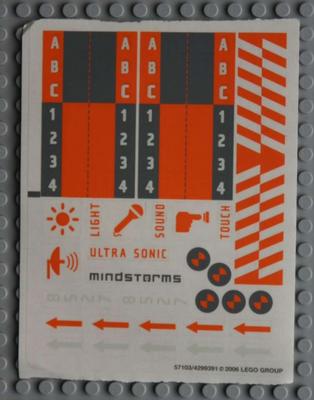
I, for one, could have used some labels. A little sheet of stickers, say, like the ones that come with Mindstorms:
We're persistent, and haven't given up on MOSS yet. But I had hoped that this would be a snap-and-go robotics toy for my kids, or something I could put out on a table at my homeschool group for kids to easily experiment with. Those hopes are pretty well dashed.
I still love the underlying concept, and I hope the ModRobotics team, or someone else, can keep working toward a robotics kit that's easier to dive into than Mindstorms. In the meantime, we still love Mindstorms. I paid almost four hundred bucks for this extensive kit of MOSS modules. I could have upgraded the Lego Savant to Mindstorms EV3 for $350, and taken him out for a nice dinner with the leftovers, and it's feeling like that would probably have been a better investment.
We may yet fall in love with MOSS, figuring out how to get our robots to hold together, or finding the sweet spot of things that MOSS is especially good for. But even if we do, a product that has "easy to use" as one of its main selling points should not have this kind of learning curve.
The Lego Savant says, "Yeah, I don't have anything to add except the arm thing. This is a pretty good review. I do plan to keep experimenting with it."
We'll update after we've played more, and let you know how things work out.